
AO Mobile v2.0.0, scheduled automations, and visible context limits
AO Mobile v2.0.0 is out now, alongside recurring agent tasks, clearer context limits, and smarter browser work.
AO Mobile v2.0.0 is out now #5896
AO Mobile v2.0.0 makes it easier to keep work moving away from your desk. Browse projects and workers, check pull requests, dictate longer task prompts, and move through iOS and Android with clearer controls and smoother navigation.
Download AO Mobile v2.0.0 from Google Play or the App Store.
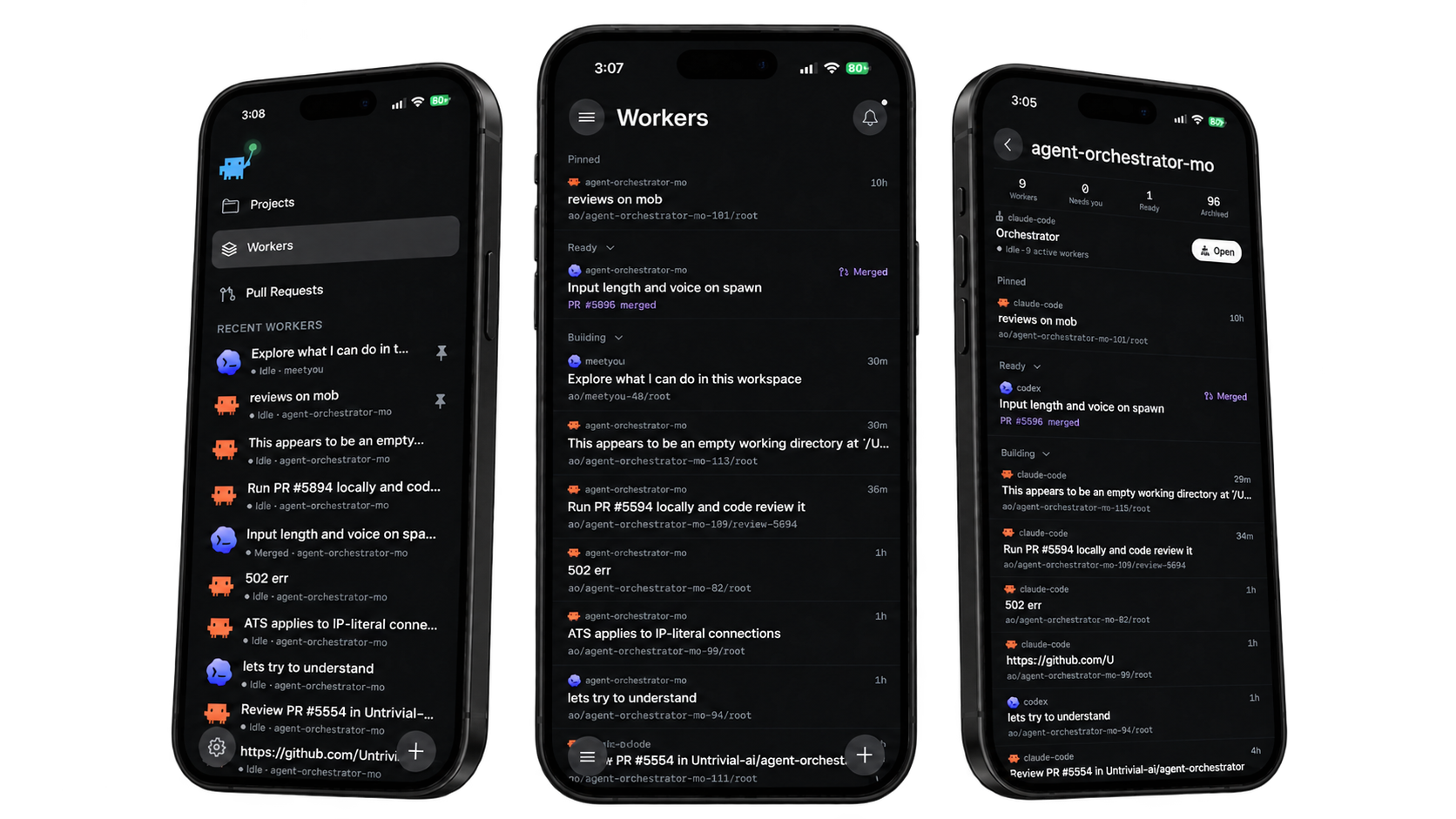 AO Mobile v2.0.0 project and worker views
Schedule recurring agent work #4459
Create daily, weekly, or custom recurring tasks from the new Automations view. Schedules use your chosen timezone, survive daemon restarts, avoid overlapping runs, and keep a history that links each occurrence back to its session.
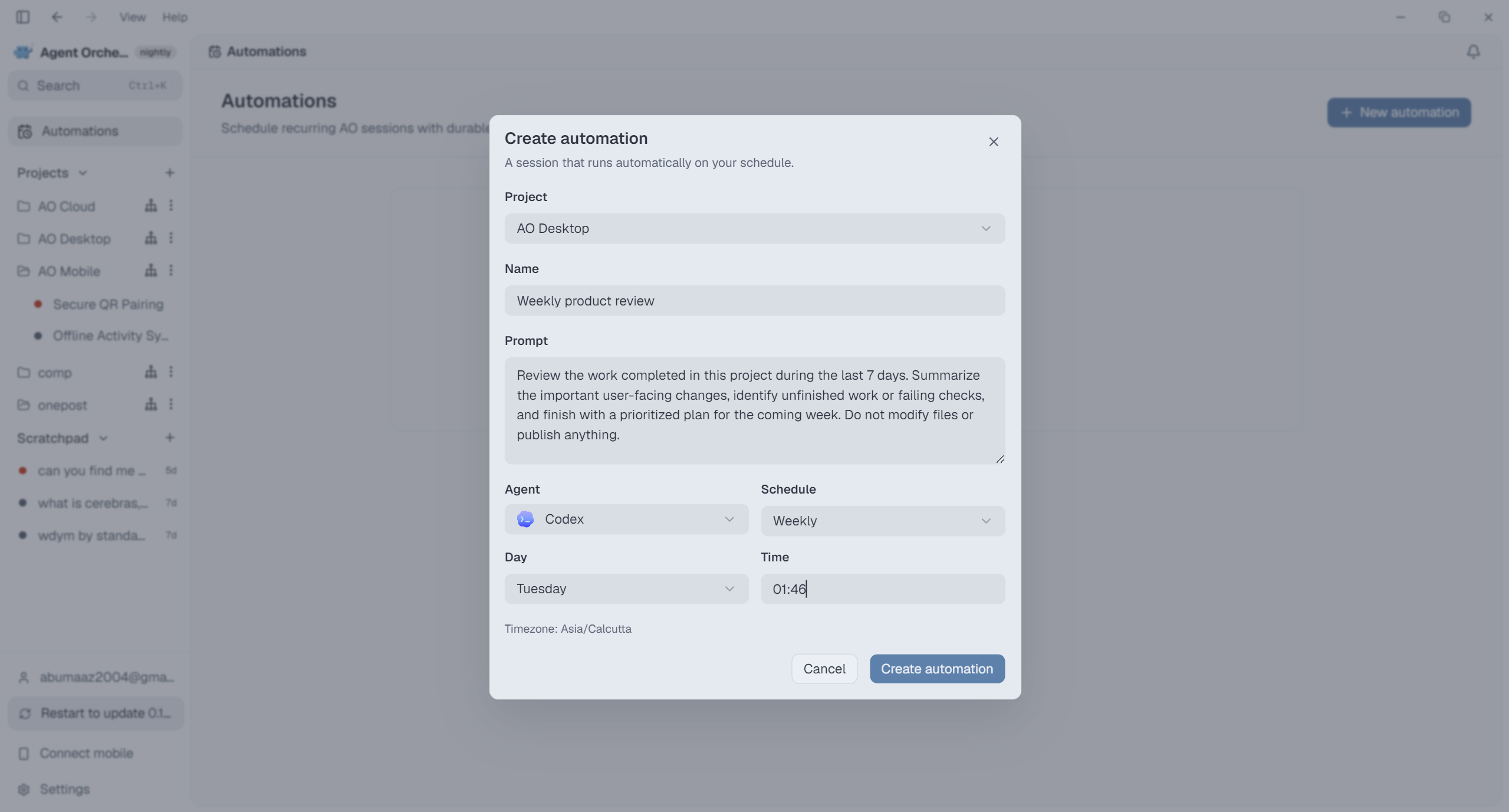 Schedule recurring agent work with Automations
See context limits before a conversation runs out #5829
Desktop and mobile Chat now show how much provider-reported context remains. Compact counts make it easier to decide when to finish, summarize, or start a fresh conversation before a large turn fails.
Help browser agents inspect pages with less repetition #5784
Browser agents can request only the page structure that changed, use more natural pointer movement on pages that reject instant clicks, and create annotated screenshots whose numbered elements map directly to browser references.
Improvements
Reviews and artifacts
- Generated artifacts appear in the session Summary and can receive feedback directly from the Files inspector. #5787 #5827
- The Files panel can switch between workspace changes and the exact pull request diff. #5254
- Pull request commits are available as individual sources in the Files picker. #5936
- Marking a file as viewed collapses its diff and keeps it collapsed after refreshes. #5908
Mobile
- Connect Mobile can keep a Mac awake while the mobile bridge is active. #5931
Agents
- Unreal Agent is available in AO Chat on supported platforms, with its configured model shown in the task picker. #5825
Desktop and terminal
- Selecting terminal text copies it automatically, and wrapped lines stay joined in the clipboard. #5789
- Projectless agents have a dedicated Scratchpad section instead of appearing as a fake project. #5759
- Delegated workers receive clearer generated task titles without delaying startup. #5733
- A popped-out browser has a one-click control for returning it to the main panel. #5946
Cloud
- GitHub connection uses the hosted GitHub App flow, so it works securely in release builds. #5822
- Coder-backed projects can choose a template, machine size, startup script, and additional repositories during setup. #5786
Bug fixes
Sessions and settings
- The home page keeps its setup actions visible when no projects exist. #5920
- Closing Project Settings waits for the latest valid edits to finish saving. #5909
- The CLI resumes exited agents inside their existing session instead of creating replacement state. #5667
Browser
- PDFs render inside temporary browser sessions. #5883
- Previously downloaded files no longer reopen the Downloads panel unexpectedly. #5882
Chat
- MCP server status refreshes correctly after a reload without losing new startup notifications. #5914
- Claude companion records no longer create incorrect conversation checkpoints. #5697
Updates
- Switching update channels no longer installs an older build that cannot read newer data. #5793
- Nightly and hotfix builds are discovered within 15 minutes and remain visible when the download CDN stalls. #5763
Git and pull requests
- Merge-conflict links open the pull request instead of a GitHub page that may not exist. #5802
- Pull requests from configured fork remotes are attributed to the correct branch and author. #5693
- Linux worktree cleanup handles owner read-only directories instead of leaving stale worktrees behind. #5696